
Online Measurements
Widget Promotion
Placement gets the widget seen. Promotion gets it used. Here’s the banner that drives discovery, and the exact words that make shoppers want to scan.
Explain it in 3 steps
A quick story that shows shoppers what they get and how to use it. Adapt this example to your voice.
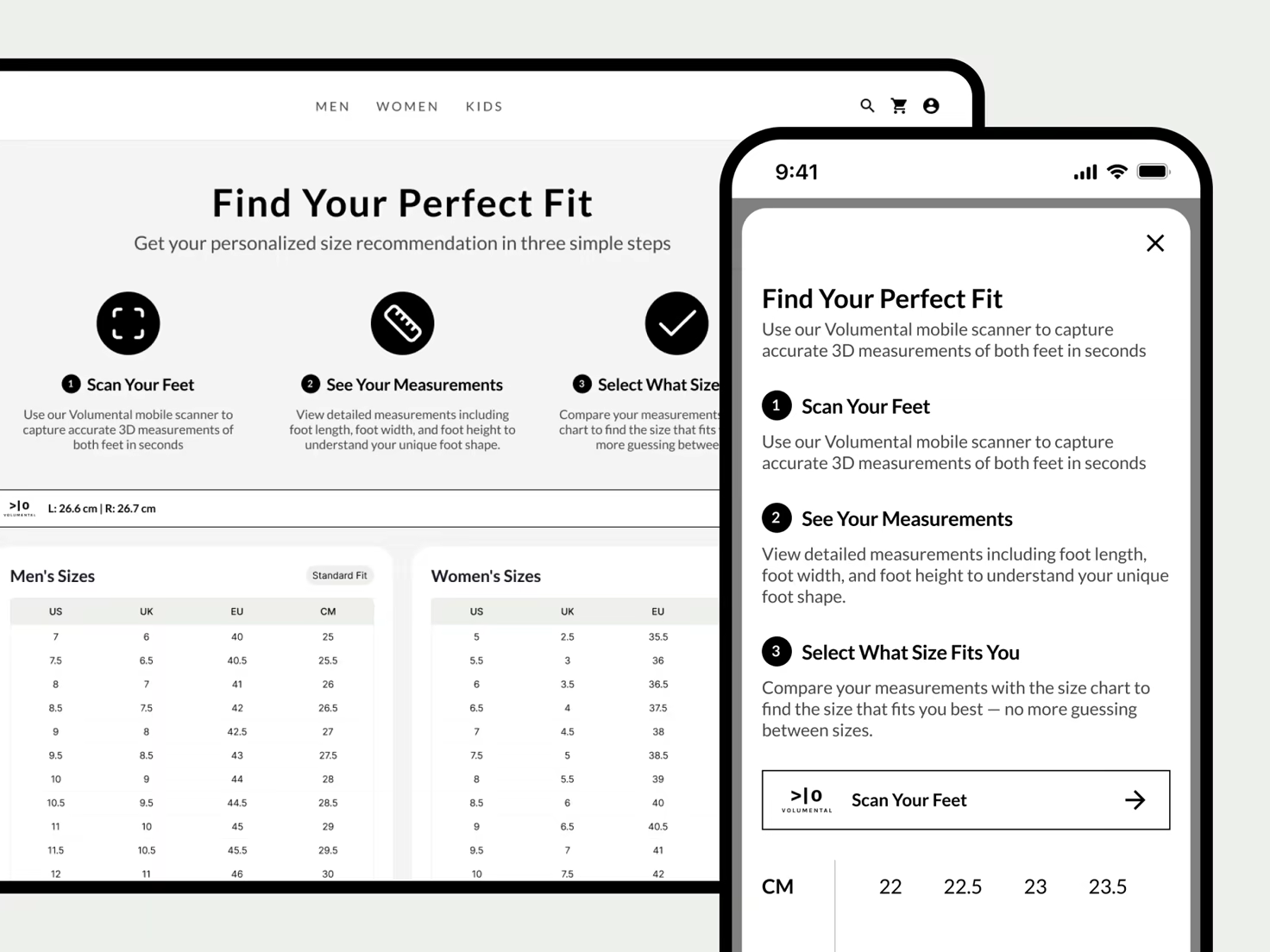
- 1
Scan Your Feet
Use the Volumental mobile scanner to capture accurate 3D measurements of both feet in seconds.
- 2
See Your Measurements
View detailed measurements including foot length, foot width, and foot height to understand your unique foot shape.
- 3
Select What Size Fits You
Compare your measurements with the size chart and pick the size that fits you best. No more guessing between sizes.
Do
- Lead with what shoppers get: precise measurements to find their size in the size chart.
- Use the same wording everywhere the widget appears: banner, size guide, PDP.
- Introduce scanning with a simple three-step story, like the example above.
Don’t
- Don’t leave manual measuring instructions next to the widget.
- Don’t rename the flow per page. One name, one promise, everywhere.
Promote it
Drive discovery beyond the sizing surfaces.
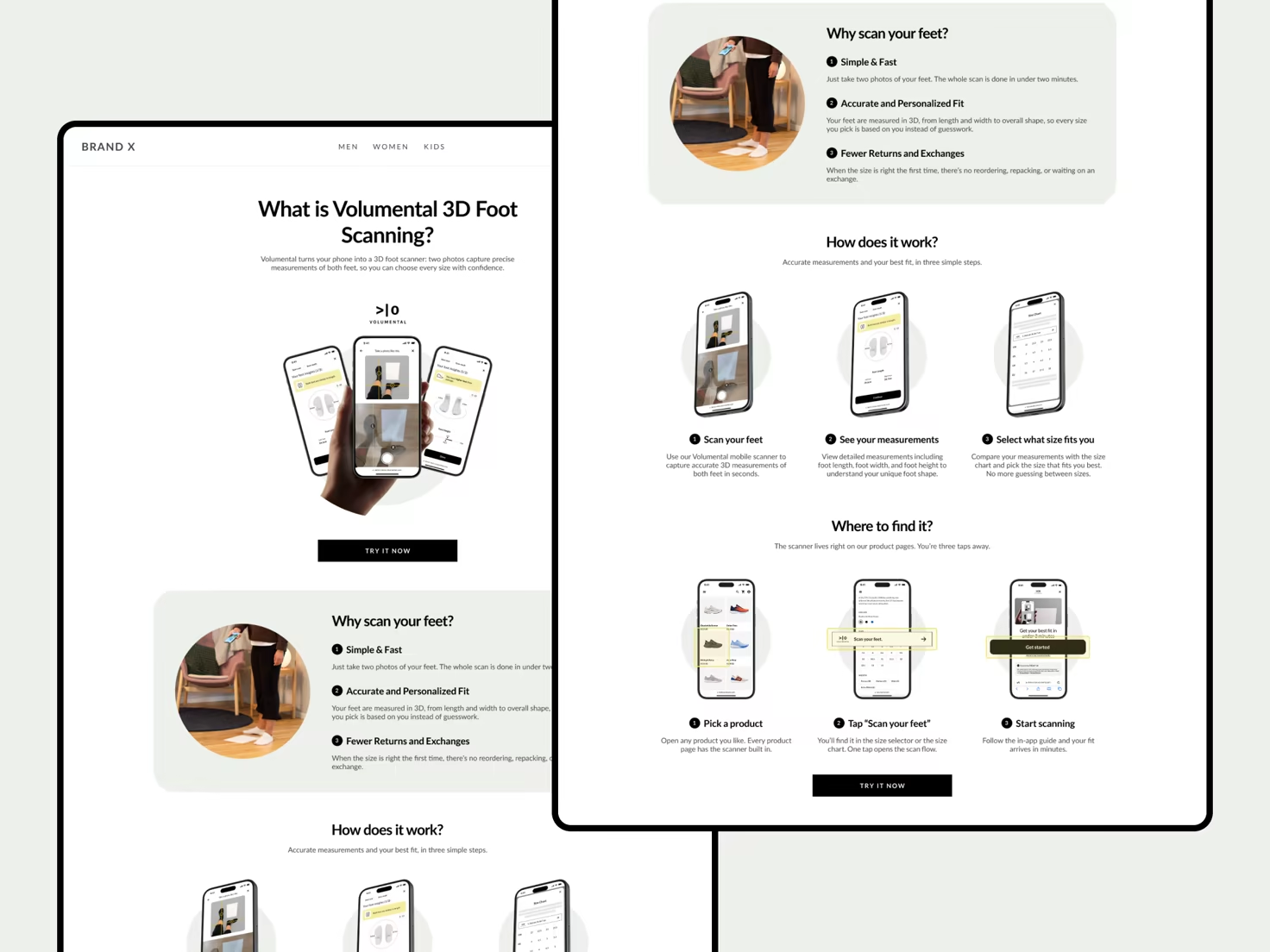
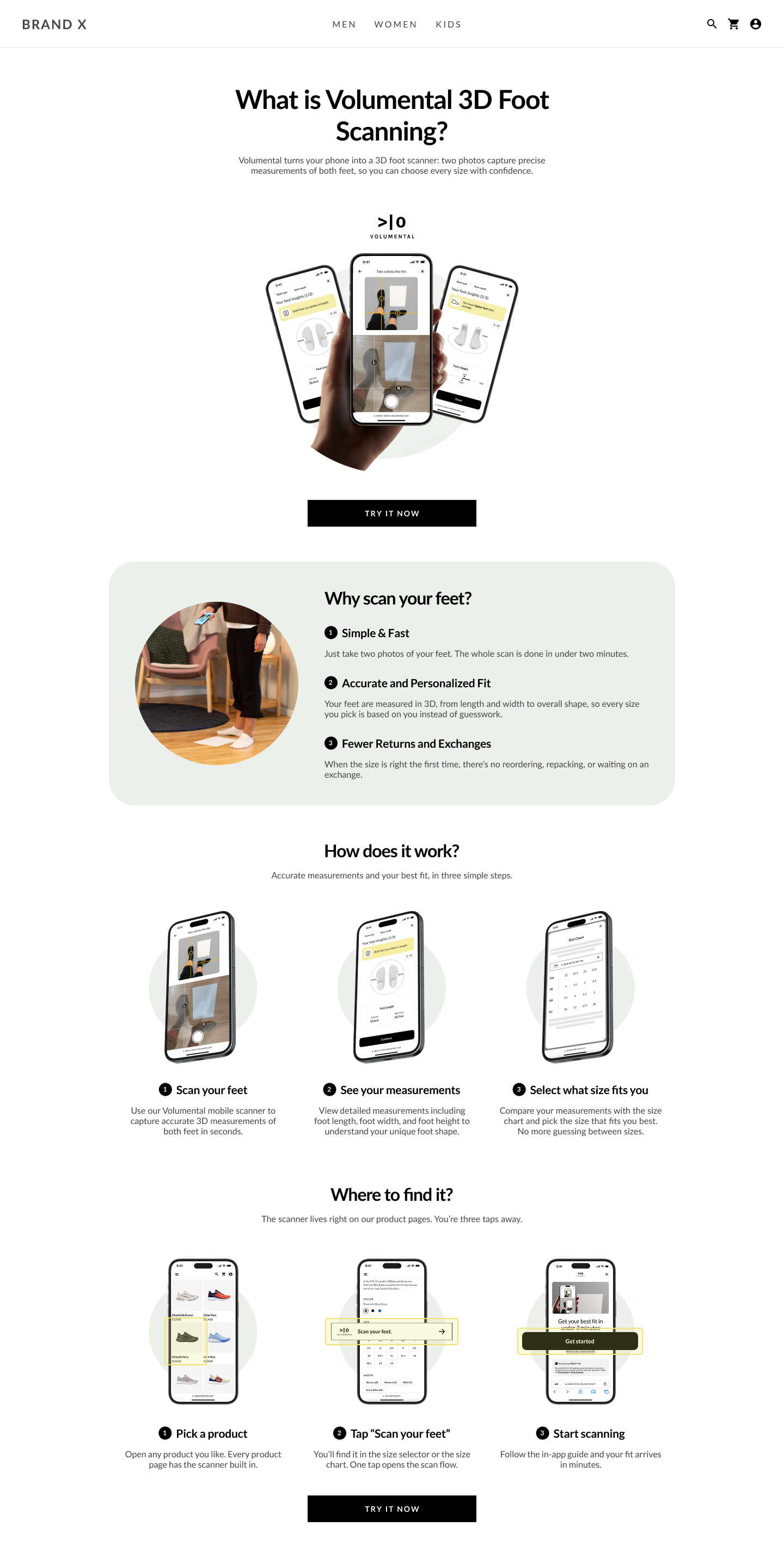
Start with an intro page
Create a landing page that introduces Volumental foot scanning in your own voice: why to scan, how it works, and where to find it. Then place banners at your key touchpoints to guide shoppers there.
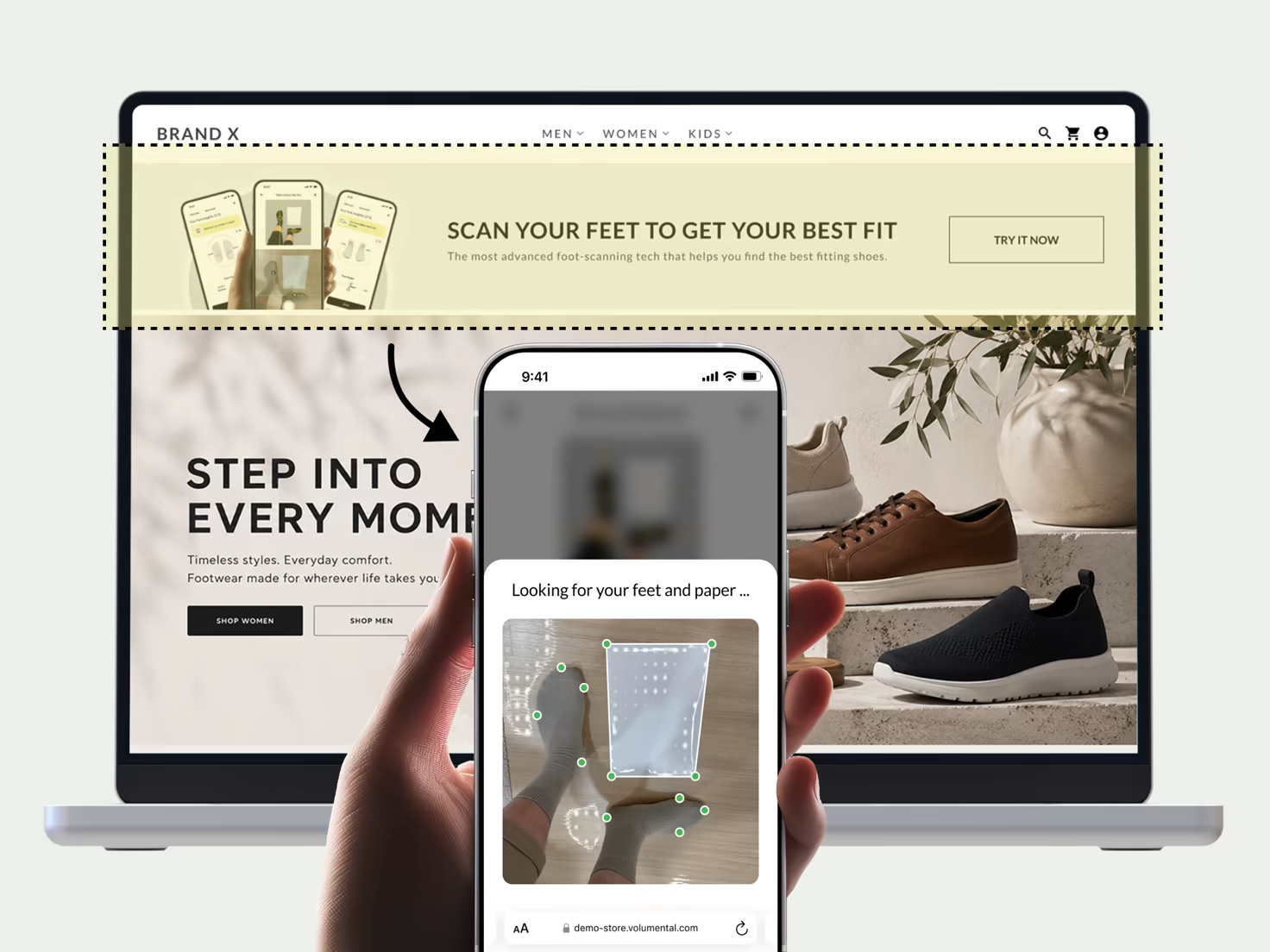
Banner on your home page
The first touchpoint we recommend. Put a banner at the top of your home page that leads shoppers to your landing page, so they scan before they start browsing. With measurements captured up front, every product detail page shows their own foot measurements right away. Seamless from the first click.
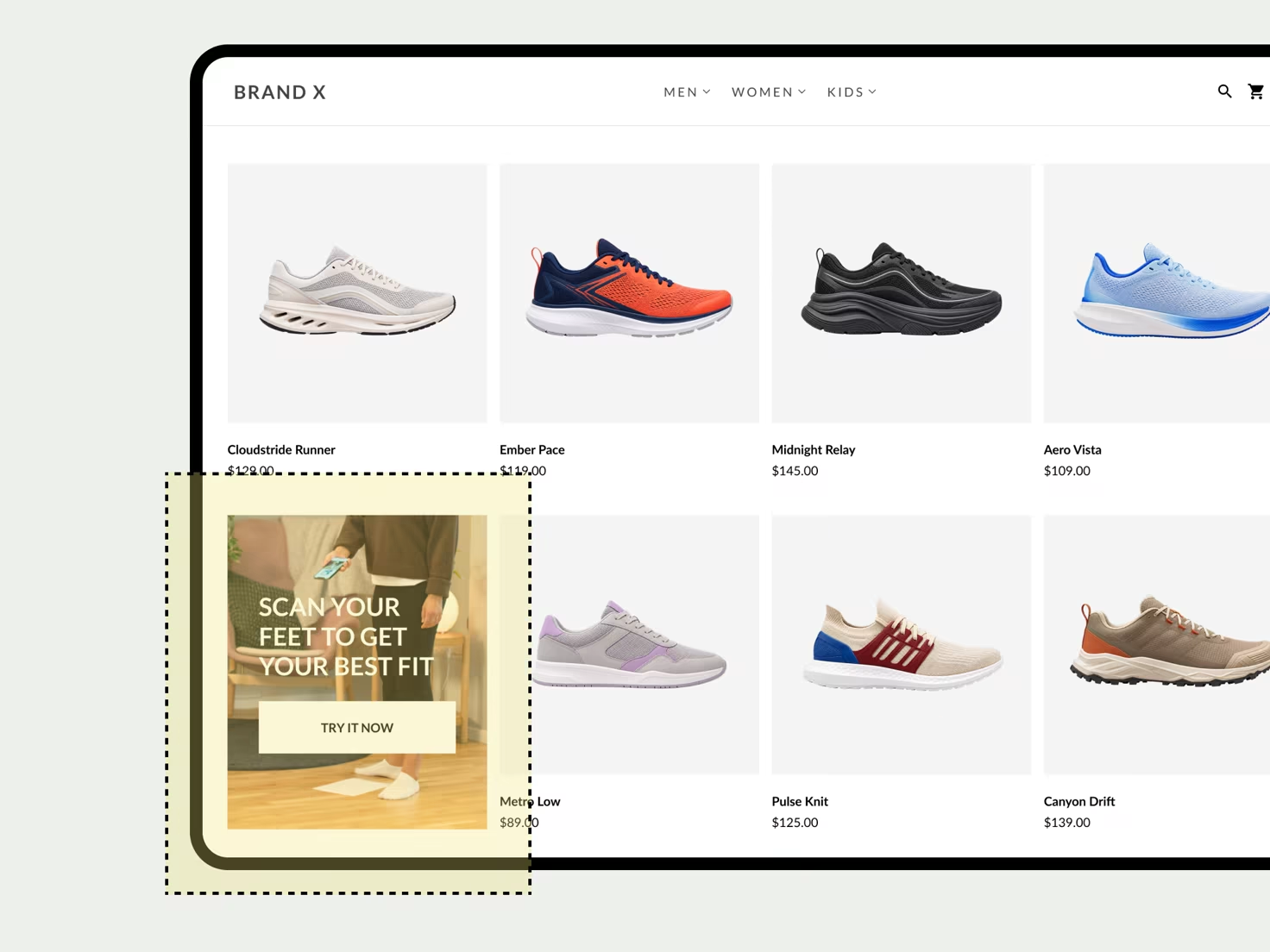
Banner on your product listing page
Product listing pages catch shoppers mid-hunt, sizes already on their mind. Slot the banner into the product grid as a content infusion, pointing to your landing page so they can scan on the spot. From then on, every product they open greets them with their own measurements, and picking a size takes seconds.