
Online Measurements
Widget Placement
The Volumental widget lets shoppers scan their feet and find their size right on your store. Make it your primary sizing guide: replace what’s outdated and embed it where sizing decisions happen, then promote it (see Widget Promotion).
Replace what’s outdated
Start by retiring guidance that makes shoppers do the measuring.
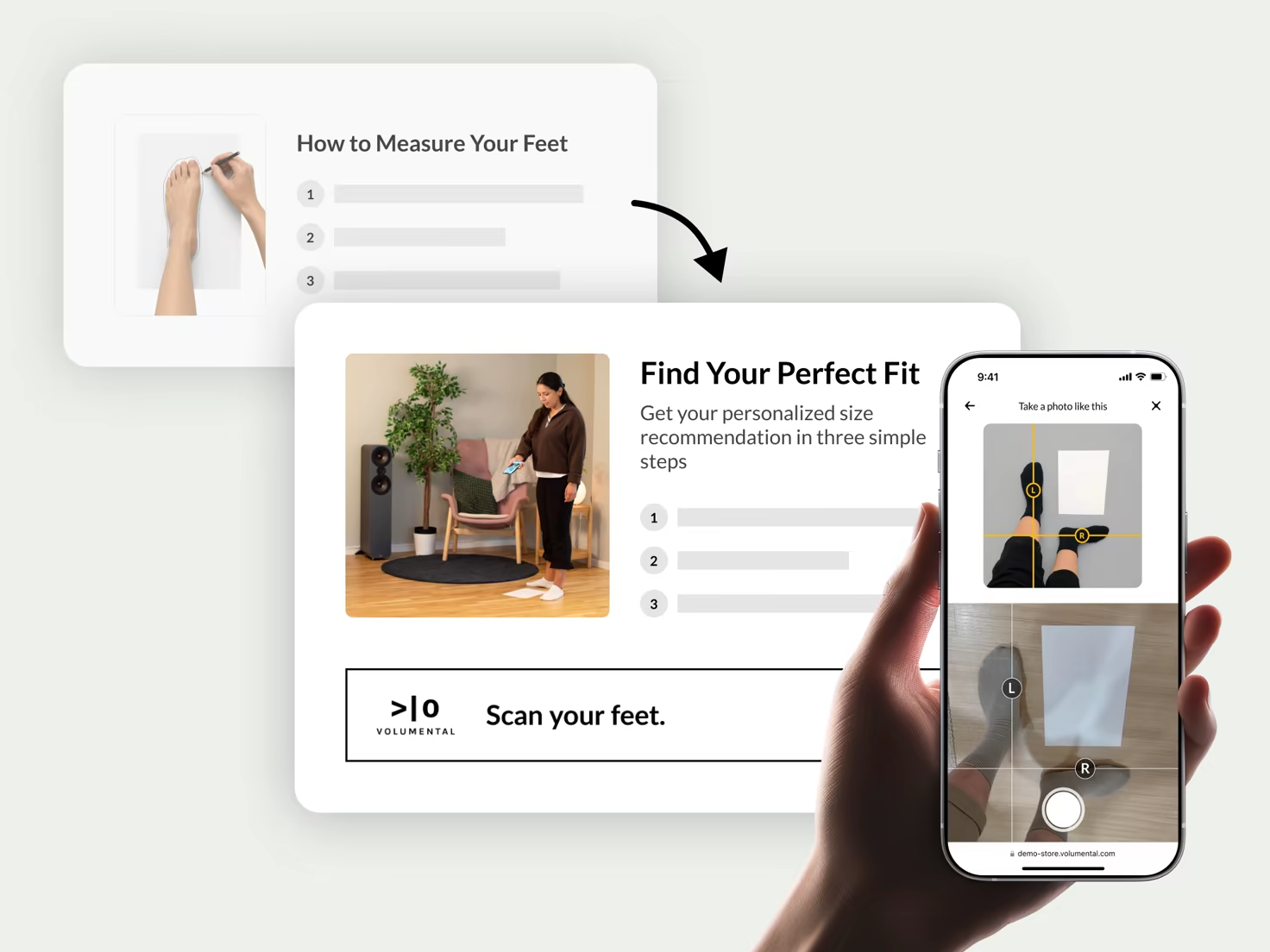
Replace manual measuring instructions
Foot outlines, rulers and printable guides ask a lot of shoppers, and manual measuring is error-prone. Swap those instructions for the widget: one scan replaces the whole ritual and returns exact foot length and width in a few minutes.
Put it where sizing decisions happen
Keep your size chart for reference. The widget becomes the primary guide.
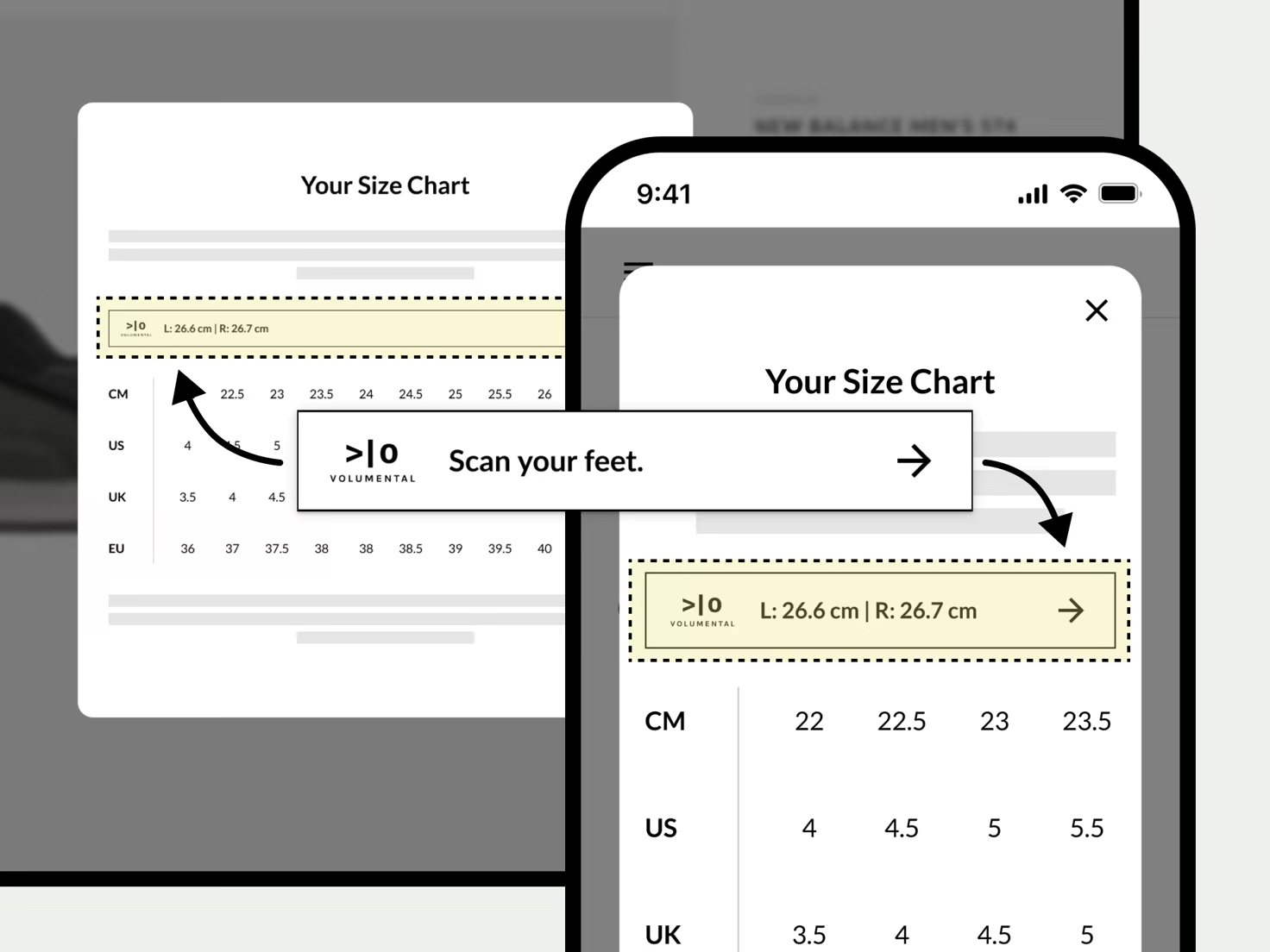
Embedded in your size chart
Shoppers open the size chart on a product page because they’re unsure. The widget turns that moment into a match: scan results appear alongside your chart, so they can line up their exact measurement against each size row themselves.
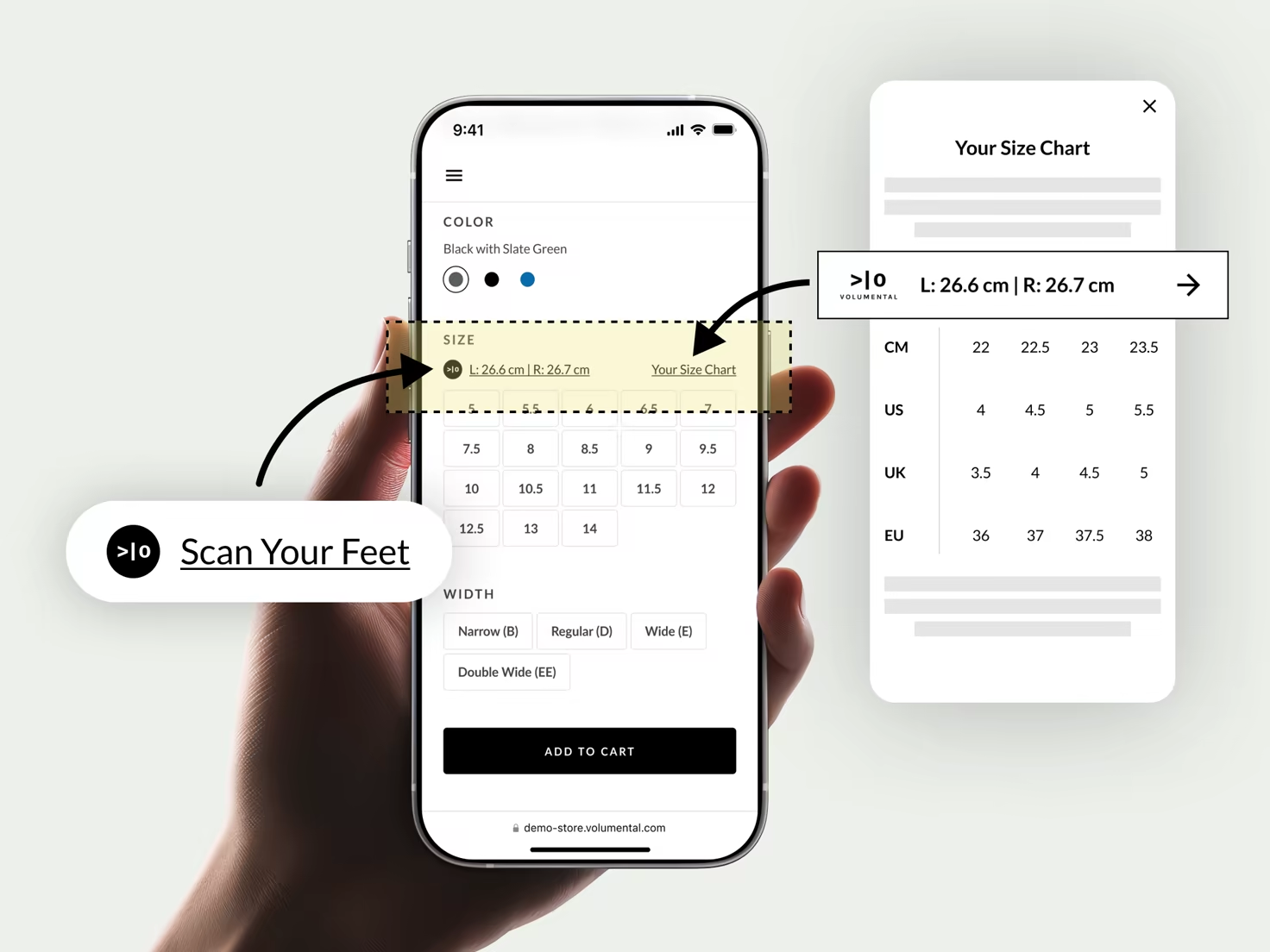
Within your size selector
The size selector is where shoppers hesitate. Place the widget right there, above the size options or beside your size chart link, so they can scan at the exact moment they’re choosing a size. Always pair this with the size chart placement: the chart is where scanned measurements turn into the right size.
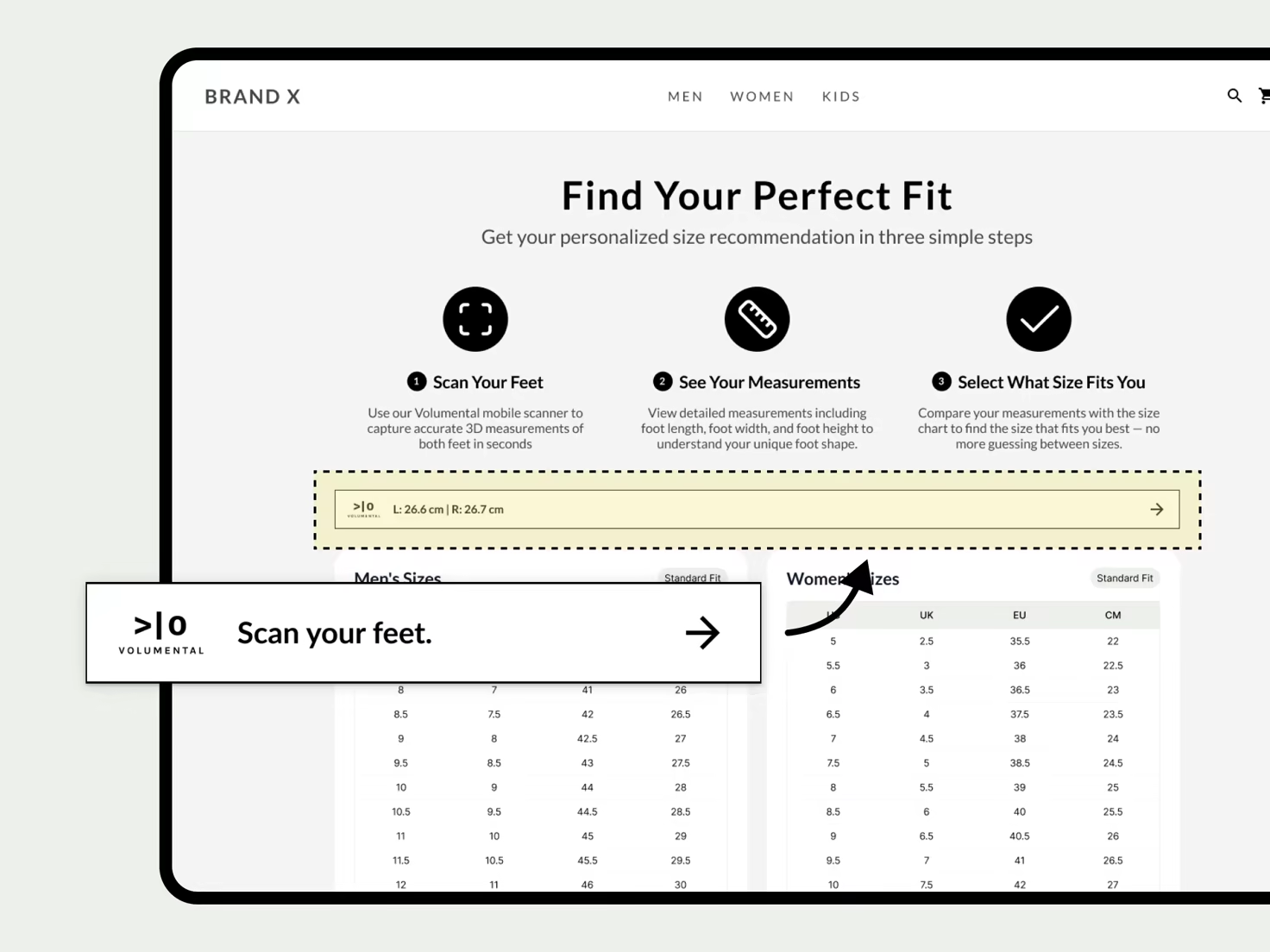
Inside your site-wide size guide
Place the widget inside your site-wide size guide, the dedicated fit page shoppers reach from your header or footer. They scan, get their exact foot length and width, then pick the matching size. No guesswork, no back-and-forth with support.